

When I first started learning programming. Contrary to the recommendation of more experienced developers where you need to learn HTML / CSS and then learn Javascript. I learned Javascript first because I was very eager and excited to get to know an actual programming language. After all, I have been putting off learning programming for years because of the difficulty and learning curve and this time It was not possible for me to give up.
I was in for the world of hurt. Knowing what I know now I definitely would learn HTML and CSS first.
Learning CSS was not easy for me, not so much about the syntax or knowing how to write CSS. I can read CSS well and understand what each line is doing. BUT I struggled with vizualizing of where elements end / start, which div ends/ start, which elements are nested inside what div.
With each project where framework is not included. We have HTML divs / elements everywhere and nested inside of each other, it can get pretty overwhelming quickly. I kept losing tracks of elements etc.
I tried to read the HTML DOC over and over again to get used to the direction and location of each elements but that takes a huge amount of repetition and memorization, especially when you have to look at 10s other elements in the document. It is very easy to get lost quick.
Take a look at an example below, the code is for an about us section where each person has their own display.
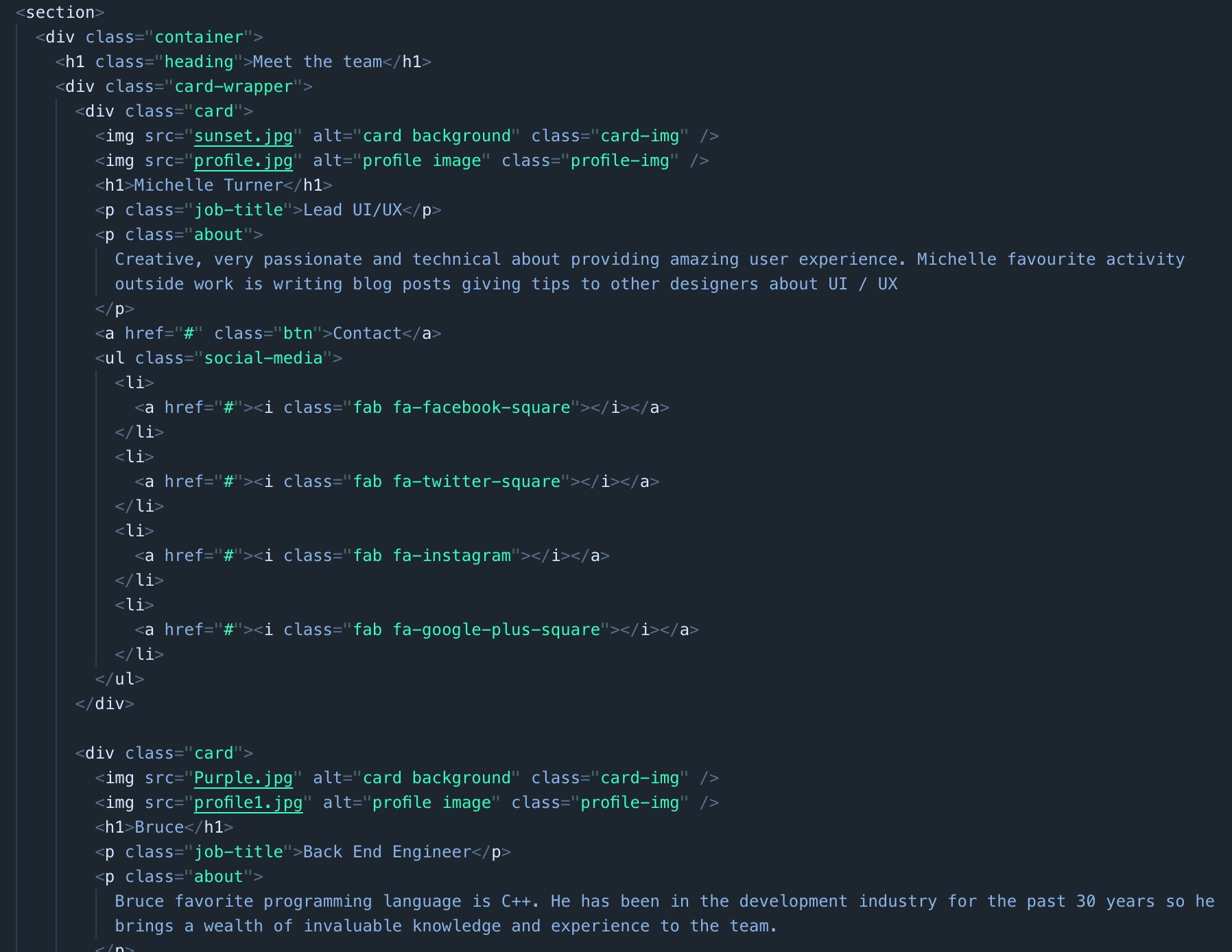
As you can see in this example. It was hard to get a picture of what the code is about since it is all code. This is where I discovered the magic of ChromeDevTools

As we see in the picture above ChromeDevTools told me everything lies inside of card-wrapper div. All I had to do was move the mouse into an area where the elements are located in the DOM, for me this is a huge deal since I am a very visual person.
How about if I want to know a specific section?. By moving the cursor to the area we want to investigate. ChromeDevTools highlights where the nested div starts/ finish, the name of the div.

What amazes me is I now could tell where the first div starts, the elements nested inside of that div, where it ends and where the next div starts.
I hope someone will find this information / habit useful. I will be sure to utilize ChromeDevTools to get used to the CSS layout of any projects, for me it will drasticlly shorten the learning curve of getting used to the lay out.
 Tom's Blog